


Lansing State Journal
3.091.00 Reviews
App Specs
- Version
- 8.10.3
- Updated On
- License
- Free
- Downloads
- 10,000+
- Developer
- USA TODAY Co.
- Categories
- News & Magazines
- Platform
- Android
Screenshots







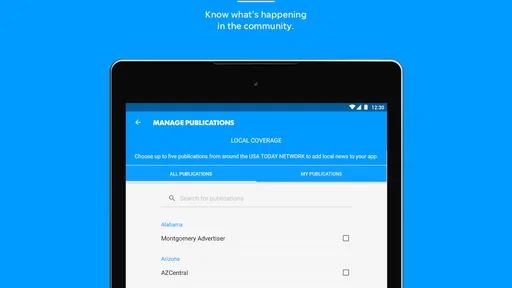
 Analysis by AppCompare
When I want news that feels connected to a particular place rather than an endless national feed, I look for a publication app with a clear local identity. Lansing State Journal is built for that purpose. It is a free news and magazines app from USA TODAY Co., focused on Lansing-area coverage alongside broader stories, photography, and video. I found it most useful when I wanted a quick sense of what was happening nearby without sorting through a general-purpose news service first.
My overall impression is mixed but fairly easy to explain: this is a sensible choice for readers who specifically want the Lansing State Journal experience on a phone, while people seeking a wide range of sources, extensive customization, or a completely frictionless free news reader may prefer another category of app. The store gives it a 3.0 average from around 179 ratings, so I would not approach it expecting universal approval. I would treat it as a focused local-news tool and judge it by that job.
What I looked for before recommending it
The first decision is whether local relevance matters more to you than breadth. Lansing State Journal is not trying to replace every news source on your phone. Its appeal is the connection to Lansing coverage, with national reporting available as part of the wider publication experience. If your daily routine includes checking local developments, community stories, regional issues, or nearby events, that focus can save time compared with opening a large national news app and searching for local material.
I also considered how well the app suits different reading habits. Some people read one or two articles over breakfast, then leave. Others want a steady stream of headlines, video, and visual reporting throughout the day. The app’s emphasis on local and national news, photography, and video makes it more than a simple headline list, but the value depends on whether you actually use those formats. If you only want text alerts from several unrelated sources, a broader news aggregator may feel more efficient.
The app belongs to the News & Magazines category and is rated for Everyone 10+, which makes it approachable for a general household audience. I would still use ordinary judgment with younger readers because news can cover serious, upsetting, or complicated subjects even when an app is not restricted to adults. That age label is useful as a broad guide, not a promise that every story will suit every child.
It has been available since May 3, 2012, and the current version is 8.10.3. Those details matter less than the practical question of whether the present app feels comfortable on your device. The minimum operating system is Android 8.0, so anyone using an older phone should check compatibility before planning around it. On a supported device, I would keep the app updated because news apps depend on a stable relationship between the reading interface and changing content.
The everyday situation where it makes sense
Imagine starting your morning with ten minutes before work. You want to know whether a local issue has developed, whether there is a significant regional story, and whether anything important happened overnight. A Lansing-focused publication app can be a better first stop than a national service because the local angle is already central. I would scan the main headlines, open one or two stories that affect my area, and use the visual or video material when a story benefits from more context than text alone.
Worth Reading Before You Choose

EA SPORTS FC Mobile 26 Is a Bigger Football Game, but It Takes Time

Flipboard Shows What News Apps Must Do Beyond the Feed

Switching to Android Auto Means Rethinking Your Driving Routine

Google Calendar Makes a Crowded Week Easier to Manage

Ludo King Makes the Most of the Minutes Between Plans

Baby Panda World Brings Quick Play to Modern Phones, but Its Game Library Feels Busy
Another useful situation is following a local topic over several days. A national app may mention a major development once, but a local publication is more likely to make the subject part of its regular coverage. That does not mean every story will receive the same depth, and I would still compare serious claims with other reputable sources. The advantage is having a familiar local doorway into the subject rather than starting from a blank search screen each time.
For commuters, students, and residents who have moved away but still care about Lansing, the app can serve as a compact connection to the area. I would not describe it as a complete replacement for every local resource, but it can keep the publication’s reporting close at hand. The photography is particularly relevant here: visual coverage can communicate the character of a local event or place more quickly than a list of headlines.
Where the app is strongest
Its strongest quality is focus. The Lansing State Journal identity gives the app a clear reason to exist. Instead of asking you to build a local feed from several sources, it puts one publication’s coverage in a dedicated mobile space. That simplicity is valuable when you already trust the publication’s role in the Lansing community or when you want a local starting point before moving to national coverage.
The combination of written reporting, photography, and video also gives the experience more range than a text-only reader. I like having the option to stay with a short article when I am in a hurry, then spend more time with visual material when the subject calls for it. This is one of the less obvious reasons to choose a publication app over a basic headline aggregator: the presentation can make local reporting feel more immediate and easier to understand.
It is also useful that the app covers both local and national news. A purely local tool could leave you switching apps whenever a major wider story matters. Here, the publication’s local focus remains the main reason to install it, but the broader coverage can reduce that constant back-and-forth. I would still compare it with a dedicated national source when I need multiple perspectives, but it is convenient for a first pass through the day’s important subjects.
The free download lowers the barrier to trying it. That is important for readers who are unsure whether a dedicated local publication app will become part of their routine. I could install it, test the reading experience, and decide whether its coverage matches my needs before committing to a longer-term habit. The app does include in-app purchases priced from $14.99 to $69.99 per item, so I would pay attention to any purchase screen and understand what an offered item provides before confirming it.
Small workflow choices that improve the experience
I would use this app as a deliberate first check rather than leaving it open as background noise. A focused routine works better: open it at a chosen time, scan local headlines, read the stories that affect your day, and then move on. This avoids the common problem of treating a news app like an endless social feed. The local emphasis becomes an advantage when you use it to answer a specific question: what matters in Lansing today?
For stories with video, I would save them for a moment when sound and attention are practical. Visual reporting is useful, but it is not always the best format in a crowded commute or a quiet workplace. Text remains the quicker option when I need information discreetly. That simple distinction helps me use the app according to the situation instead of assuming every story should be consumed in the same way.
I would also separate discovery from verification. The app can help me notice a local development and understand its immediate context, but for a controversial issue I would look at the details carefully and compare the account with another reliable source. This is not a criticism unique to Lansing State Journal; it is a sensible habit with any single-publication news app. The benefit here is that local reporting can point me toward the subjects worth investigating further.
Finally, I would judge the app after several ordinary visits rather than one quick launch. News apps can feel impressive when a major story is available and less useful on a quiet day. The real test is whether the local coverage repeatedly answers your needs. If you live outside the area and have no personal connection to Lansing, the app’s central advantage may not justify keeping it installed.
Where broader alternatives may fit better
A general news aggregator is likely better for someone who wants many publishers in one place. That type of service can make it easier to compare viewpoints, follow several cities, and move between technology, business, sports, and international coverage without changing apps. Lansing State Journal is more suitable when the local publication itself is the priority. If variety is your main criterion, the dedicated focus may feel narrow.
A national news app may also be a better fit for readers who mostly follow major events beyond Michigan. Lansing coverage can be valuable, but it will not replace a service designed around national or international breadth. I would choose the national option for a travel-heavy lifestyle or for work that requires constant awareness of many regions. I would choose this app when Lansing is the place I need to understand first.
Social platforms can be faster for discovering breaking claims, but I would not use them as a direct substitute. They are useful for seeing what people are discussing, yet speed can come with noise, repetition, and uncertainty. A publication app offers a more structured reading path. The trade-off is that it may not surface every perspective or every source as quickly as a large open network.
Mobile websites are another reasonable alternative, especially if you dislike installing dedicated apps or want to keep your phone uncluttered. A website can be convenient for occasional visits. The app makes more sense when Lansing State Journal is part of your regular routine and you want a purpose-built reading space. The choice is less about which format is universally superior and more about whether this publication deserves a permanent place in your daily news rotation.
What the rating and payment model mean in practice
The average rating of 3.0 should make prospective users curious rather than dismissive. It suggests that the experience has not satisfied everyone, but a store rating alone does not tell me whether the frustration came from the interface, access expectations, content preferences, or individual device experiences. I would install it with realistic expectations and test the parts that matter to me: headline scanning, article reading, visual content, and the clarity of any purchase prompts.
The app has more than 10K installs, which indicates a real but relatively focused audience rather than the scale of a mass-market aggregator. That fits the product’s local identity. I would see the smaller footprint as a reminder that this is a publication-specific tool, not a universal news platform with every possible feature and source.
Because the app is free to download but offers in-app purchases, I would not assume that every part of the experience has the same access conditions. Before paying, I would read the wording on the purchase screen and decide whether the item matches how often I expect to use the app. Occasional readers may be satisfied with trying the free experience, while committed local-news readers may consider a purchase worthwhile if it supports the access they want.
This is also where switching costs matter. Moving from a general news app to Lansing State Journal means giving up some breadth and possibly some convenience from having many sources together. Moving in the other direction means giving up the immediate local emphasis and may require more searching to find Lansing stories. I would switch only if one of those trade-offs directly solves a problem in my current routine.
Who should install it, and who should skip it
I recommend trying it if you live in or around Lansing, have family or work connections there, or simply want local reporting to be the first layer of your news day. It is especially appropriate for readers who appreciate a publication’s own mix of text, photography, and video rather than a purely algorithmic collection of links. The free entry point makes that trial fairly straightforward.
I would skip it if your main goal is a single app containing a large number of independent publishers, global coverage, or highly personalized topics unrelated to Lansing. I would also hesitate if you only read news occasionally and prefer opening a mobile website when a story appears in search results. In that case, a dedicated installation may add little to your routine.
Families should remember that Everyone 10+ is a broad content label, not a guarantee that the news will always be light. Adults choosing the app for a shared device should be comfortable with younger users encountering ordinary news subjects. The app is accessible to a wide audience, but the publication’s daily topics will naturally vary.
My recommendation after weighing the trade-offs
I would recommend Lansing State Journal as a focused local-news companion, not as the only news app on every phone. Its best use is clear: start with Lansing reporting, use the national coverage for wider context, and take advantage of photography and video when they help explain a story. That combination gives the app a practical role that a generic headline list may not provide.
My advice is to try it during a normal week, not only during a major breaking story. Check whether the local coverage fits your interests, whether the reading flow feels comfortable on your device, and whether the free experience gives you enough value. If you find yourself opening it to understand what is happening nearby, it has earned its place. If you repeatedly want unrelated sources or broader customization, a general news alternative will probably serve you better.
My final verdict: choose it for local relevance, keep another source for breadth, and treat the purchase options carefully. The app is free to start, comes from USA TODAY Co., and has a long presence in the mobile news space, but its modest rating and publication-specific focus mean it is not an automatic recommendation for everyone. For the right Lansing reader, though, that narrow focus is exactly what makes it useful.
Pros
- Provides local news focused on Lansing and surrounding Michigan communities.
- Offers convenient access to breaking news
- updates
- and community coverage.
- Includes sports reporting for local teams and regional events.
- Supports customizable notifications for important local stories.
- Clean mobile format makes articles easy to read on the go.
Cons
- Some content may require a subscription or digital membership.
- Advertising can be noticeable while browsing articles.
- Coverage is highly regional and may feel limited outside the Lansing area.
- Notification frequency may become distracting for some users.
- App performance and loading speed can vary with network quality.
FAQs for Lansing State Journal
What is the Lansing State Journal app?
The Lansing State Journal app is a mobile news platform for keeping up with local, regional, and national stories, with a particular focus on the Lansing, Michigan area. After installing it, readers can browse breaking news, politics, sports, business, entertainment, and community coverage in a format designed for phones and tablets. The exact sections and available features may vary by platform and app version.
Is the Lansing State Journal app free to download and use?
The app is generally free to download, allowing users to install it and explore some available content without an immediate payment. However, access to the complete article library and premium journalism may require a subscription or an active digital membership. Before downloading, check the current listing and subscription terms, because pricing, trial offers, advertising, and access limits can change over time.
What kind of news can I read in the Lansing State Journal app?
The app is intended for readers who want timely coverage of Lansing and surrounding communities, including local government, education, crime, weather, events, and neighborhood developments. It may also include Michigan news, sports reporting, opinion pieces, business updates, lifestyle articles, and selected national stories. Coverage is especially useful for users who want local reporting gathered in one regularly updated mobile experience.
Does the Lansing State Journal app require an account or subscription?
You may be able to open the app and read selected stories without creating an account, but an account is commonly needed to manage a subscription, save preferences, or access subscriber-only articles. Some content may be limited by a digital paywall, meaning frequent readers could need a paid plan for unlimited access. Review the sign-in and subscription information shown inside the app before purchasing.
Does the Lansing State Journal app send notifications?
The Lansing State Journal app may offer push notifications for breaking news, important local developments, sports updates, weather-related information, or other selected topics. Notifications can be useful when you want immediate alerts, but they may become distracting if too many categories are enabled. After installation, check the app’s notification controls and your device settings so you can choose which alerts to receive or disable them entirely.


